

Pokémon authenticity guide · October 2026
How to Check Pokémon Card Authenticity From Seller Photos
A blurry photograph is not enough to call a Pokémon card real or fake. It is enough to decide what evidence you need next.

Start with the exact printing
Match the Pokémon name, set, collector number, language, artwork, and finish. Comparing two different versions can make a legitimate difference look suspicious.
The official Pokémon card database can help check card identity and artwork. Its absence from a search is not, by itself, a counterfeit verdict: check your search terms and whether the exact release is covered. For a difficult variant, seek a reliable reference for that specific print.
Write down the reference you selected. “A Charizard photo I found online” is much less useful than a named printing with a matching number and language.

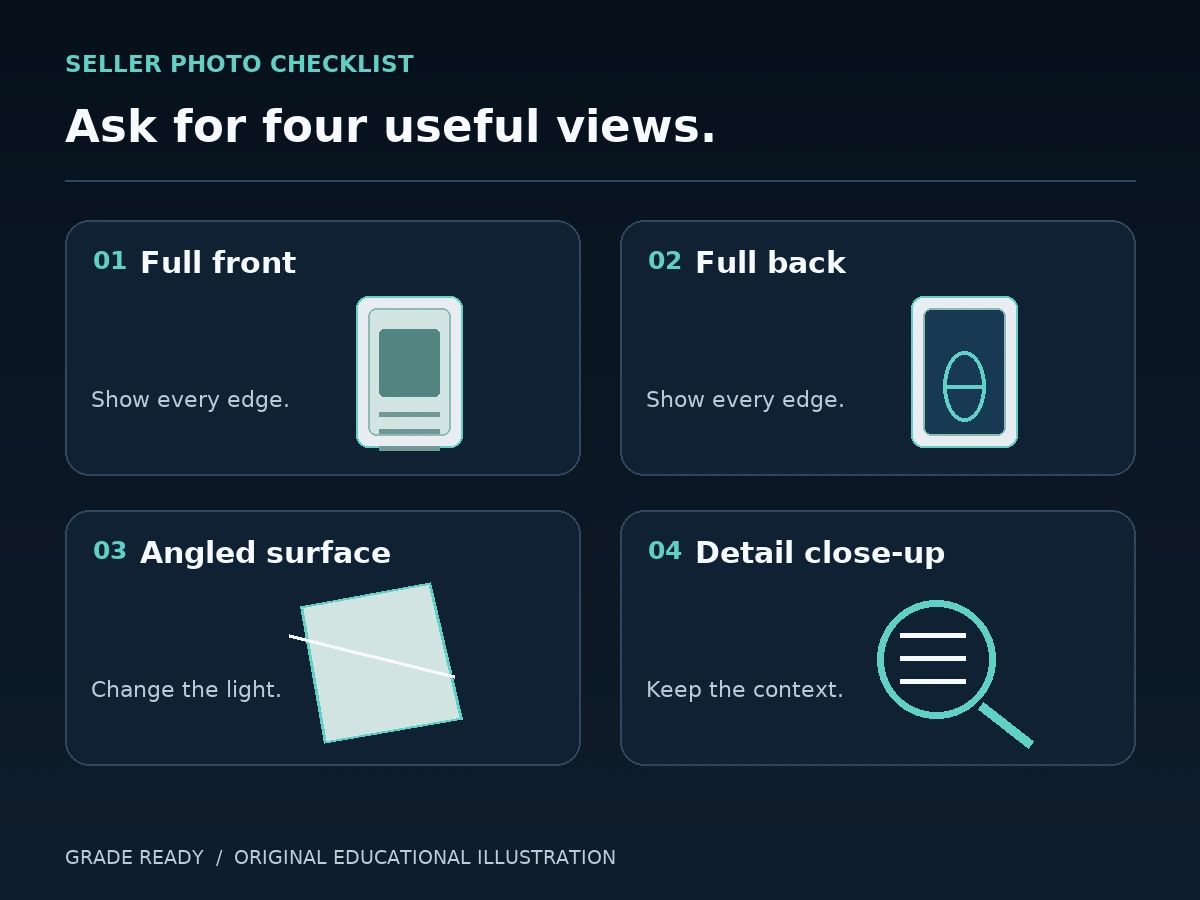
Ask for four useful views
- Straight-on front: the entire card, with fine text readable and no bright reflection covering the artwork.
- Straight-on back: all four edges visible, with the card filling enough of the frame to inspect the printing.
- Angled front or short tilt video: a gentle change in angle to reveal the finish and distinguish reflections from marks.
- Detail close-ups: the collector number, small text, symbols, and any area that prompted the question.
Ask for the actual card being sold. A catalog image establishes what a design should look like; it does not establish what the seller owns or will ship. If the card is safely removable from a loose sleeve, reducing sleeve glare may help. Do not ask a seller to open a slab or risk damaging a card.
Compare layout before judging color
Start with details that should correspond to the selected reference: text, number placement, symbols, artwork, and major layout features. Check that the photograph is sharp enough before judging a tiny letter or line.
Color is harder to interpret across photographs. Lighting, white balance, glare, and image processing can make the same card look warmer, darker, or more saturated. An unusual color is a reason to request consistent lighting, not an automatic conclusion.
If several independent details remain inconsistent in clearer views, save the examples and seek a second opinion. One unclear patch in a compressed image is weaker evidence.

Check the finish expected for that specific card
Do not use “it has no texture” as a universal fake-card test. Whether texture or a particular foil effect should be present depends on the exact printing you are reviewing.
Use the angled view to look for the finish expected on your reference. A straight-on photograph can hide texture and reflections. If the necessary finish cannot be seen, ask for another angle rather than filling in the missing evidence.
Separate wear from an authenticity concern
Whitening, scratches, dents, and off-center borders are condition observations. They do not independently establish whether a card is genuine.
Keep two separate notes: “condition I can see” and “details that need verification.” That makes a review easier to revisit and prevents a low condition estimate from being mistaken for an authenticity result.
Skip destructive shortcuts
Do not rip, bend, scrape, or chemically treat a collectible to test it. Destroying a card removes value and can also destroy evidence you might need later.
Pokémon’s counterfeit-card guidance suggests checking official product images and asking a specialist card shop to evaluate concerns. It also describes excessive light transmission as a warning sign. Treat an informal light check as one observation; it does not replace an exact-print review or a professional opinion.
Use a comparison tool to organize the evidence
TCG Fake Card Checker brings a selected reference and card photograph into the same review. Its comparison modes and focus lenses help inspect details, and saved reviews keep evidence and notes together. Some tools require Premium.
The useful output is a documented review: which print you compared, what the images show, and what remains unresolved. The app supports visual inspection; it does not certify a card or guarantee that an online transaction is safe.

Copy this photo request
“Could you send a sharp front and back of the actual card, a short tilt video under even light, and a close-up of the collector number? Please keep all four edges visible and avoid filters. I am trying to confirm the exact print and review condition before deciding.”
When photos are still inconclusive
Pause the purchase if the evidence you need is unavailable. For an expensive, unusual, or disputed card, a trusted shop or appropriate authentication service may need to examine the physical item. Keep the listing, original images, and transaction records so the concern can be reviewed with context.
Once you have a card you are comfortable adding, Grade Ready helps keep collection details, research, and grading reports organized. Authenticity and condition remain separate questions even when they are part of the same collector workflow.

1 comment
[…] you are reviewing a seller’s listing, our Pokémon seller-photo guide includes a more detailed photo-request […]